A good road trip planner turns a vague list of places into a route you can actually drive: the stops in the right order, realistic driving times and a clear idea of where you sleep each night. The right tool depends on the size of your trip. A weekend with three stops needs nothing more than a navigation app; a two-week loop across several states is easier in a dedicated planner.
Below, we compare the main USA road trip planner options, what each one does well, what it limits and how to combine them.
What to look for in a USA road trip planner
Before picking an app, list what you need from it. For a road trip in the United States, the useful features are:
- Enough stops for your whole route, or an easy way to split it into legs.
- Driving times and distances between each stop, so you can check the length of each day.
- Points of interest along the way: viewpoints, parks, gas stations, places to sleep.
- Offline access, since many scenic routes cross areas with no cell signal.
- Sharing with travel companions who want to edit the plan.
- Export to the navigation app you will use while driving.
The main types of road trip planners compared
Rather than chase the app of the moment, it helps to think in categories. Most tools fall into one of five families, and each one solves a different part of the planning.
| Type of tool | Typical stop limit | Price | Strength |
|---|---|---|---|
| Navigation app | A small number of stops per route | Usually free | Turn-by-turn directions and offline maps |
| Custom map tool | Many pins, organized in layers | Often free | Drawing and annotating the whole trip on one map |
| Discovery app | Limited on free plans, more on paid plans | Free or paid plans | Finding attractions along the route |
| Itinerary builder | Often generous on free plans | Free, with optional paid extras | Day-by-day plans and group collaboration |
| Multi-day scheduler | Built for long routes | Varies | Detailed scheduling of each driving day |
Stop limits and prices change often, so check the current terms of any app before you build a long trip in it.
Navigation apps: the default on the road
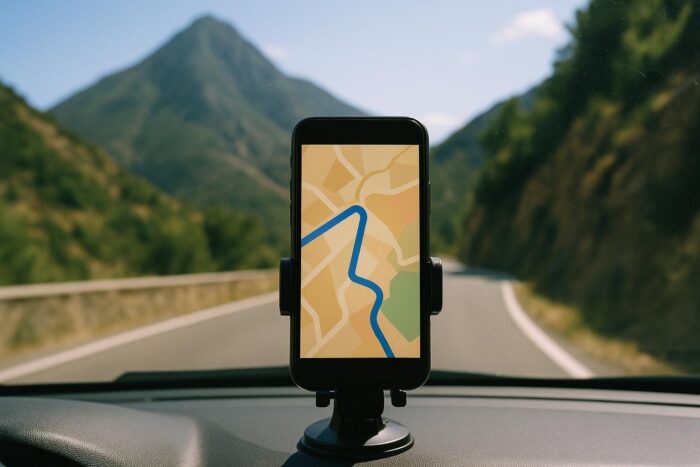
Most drivers already have a navigation app on their phone, and it remains the best tool once you are behind the wheel. Its limit for planning is the number of stops a single route can hold. For a longer trip, build one route per day or per leg. Download offline maps for each region before leaving, and test that they work in airplane mode.
Custom map tools: the big picture
A custom map tool lets you draw your trip rather than drive it. You can pin every stop, draw the driving lines, color-code nights, hikes and restaurants, and add notes. It is not a navigation tool, but it is excellent for seeing the whole route at once and sharing it with the people you travel with.
Discovery apps: finding things to stop for
Some route-planning apps are built around discovering places along a route: roadside attractions, parks, diners and campgrounds. Free plans usually cap the number of stops per trip, and paid plans raise that cap. They suit trips where the detours are the point, like Route 66, but compare the plans against the number of stops you really need before paying.
Itinerary builders: day-by-day plans
An itinerary builder works like a shared travel notebook: you add places to each day, see the times and distances between them and plan with friends in real time. Many let you export the places to your navigation app. Features such as route optimization or offline access are often reserved for paid versions.
Multi-day schedulers: for detail-oriented planners
A few planners are designed specifically for long, multi-day trips. They suggest where each day should end based on your driving preferences and look for lodging and fuel along the route. Their interfaces are denser than the others, but they give the most control over long itineraries with many nights.

How to combine tools for a smooth trip
No single app does everything well. A combination that works for most trips:
- Sketch the route in a custom map tool or an itinerary builder to see the whole trip and test different orders of stops.
- Check each day’s driving time, and move stops until no day is overloaded.
- Enrich the plan with attractions, using a discovery app or your planner’s suggestions.
- Navigate with your usual navigation app, one day at a time, with offline maps downloaded.
- Check the weather and road conditions along each leg the evening before, with the National Weather Service and the state 511 services.
An app speeds up the work, but it does not choose the route, the season or the budget for you. Our guide on step-by-step road trip planning covers those decisions step by step, and our route-by-route guide to America’s great drives can help you pick the itinerary in the first place.
Paper maps still have a place
Scenic roads often run through canyons, forests and national parks with no coverage. Offline maps help, but a phone battery or a crashed app can leave you without directions. A printed road atlas or state highway maps weigh little and never need a signal. They are also the best way to see alternative routes when a road is closed.

FAQ: road trip planners
What is the best free road trip planner for the USA?
For most trips, a navigation app for driving plus a free custom map tool or itinerary builder for the overall plan covers everything, at no cost. For long multi-day routes, look for a planner that schedules each driving day.
Can a navigation app plan a road trip with many stops?
Usually not in one route, because most cap the number of stops. Split the trip into daily routes, or plan the whole itinerary in another tool and navigate one leg at a time.
Is a paid road trip planner worth it?
It can be for long trips with many stops or when you want offline features. For a one-week trip with a handful of stops, the free tools are usually enough.
Do road trip planners work offline?
Most navigation apps let you download offline areas for free. Planning apps often reserve offline access for paid plans, so check before you rely on it.